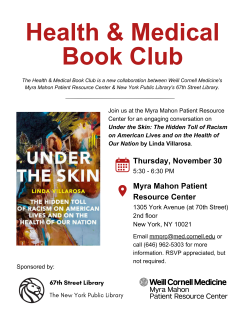
The Health & Medical Book Club is a new collaboration between Weill Cornell Medicine's Myra Mahon Patient Resource Center & New York Public Library's 67th Street Library.
Seed and Soil: Black Eugenic Thought in the Nineteenth and Twentieth Centuries
Join Ayah Nuriddin at 5PM EST on Tuesday, November 7, 2023, as she examines the complex and often paradoxical ways in which African Americans imagined the utility of racial science and eugenics for challenging scientific raism and advocating for racial equality. Her lecture will trace how the ongoing legacies of racial science continue to shape African American articulations of racial formation and health disparities, in addition to activism around health inequality.
Thank you for thinking of the Wood Library. Currently, we don't accept print book donations, as we are transitioning most of our print collection to e-books. We are only acquiring print if that is the only available format and the book is needed for research or teaching purposes. If the book is rare, unique, and historically significant, consider contacting the New York Public Library. Click here for information about NYPL’s donation policy.
Does the Library have a projector available for checkout?
The Library has a projector available for checkout. The projector comes with a remote, power cable and a thunder bolt to thunderbolt/vga dongle connection.
Can I post flyers in the Library?
We reserve whatever space we may have inside the Library for internal postings pertaining to the college or the Library. A more varied board by the hospital cafeteria sometimes has apartment postings, and you may want to ask if you can post your listings there.
Get publishing tips from a Zoom panel discussion with science editors in medicine, veterinary medicine, and engineering. Learn tips from Dr. Andrea Lodi from Cornell Institute at Cornell Tech, from our very own Dr. Joseph Safdieh from Weill Cornell Medical College, and more panelists. The Zoom panel discussion will take place on Tuesday, October 10 2:00 to 3:30 p.m. Register here.
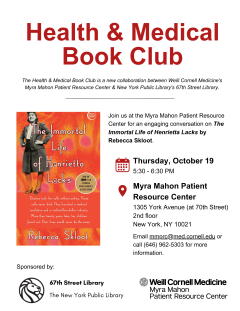
The Health & Medical Book Club is a new collaboration between Weill Cornell Medicine's Myra Mahon Patient Resource Center & New York Public Library's 67th Street Library.
Join us on Thursday, October 19 5:30 - 6:30 PM for an engaging conversation on The Immortal Life of Henrietta Lacks by Rebecca Skloot. This event will take place in-person at the Myra Mahon Patient Resource Center at 1305 York Avenue (at 70th Street) on the 2nd floor, New York, NY 10021.
From Library computers, you can change the color settings under "printer features" in the drop down menu after going to File > Print. The default setting is color. Please see the Printing and Photocopying page for more information.
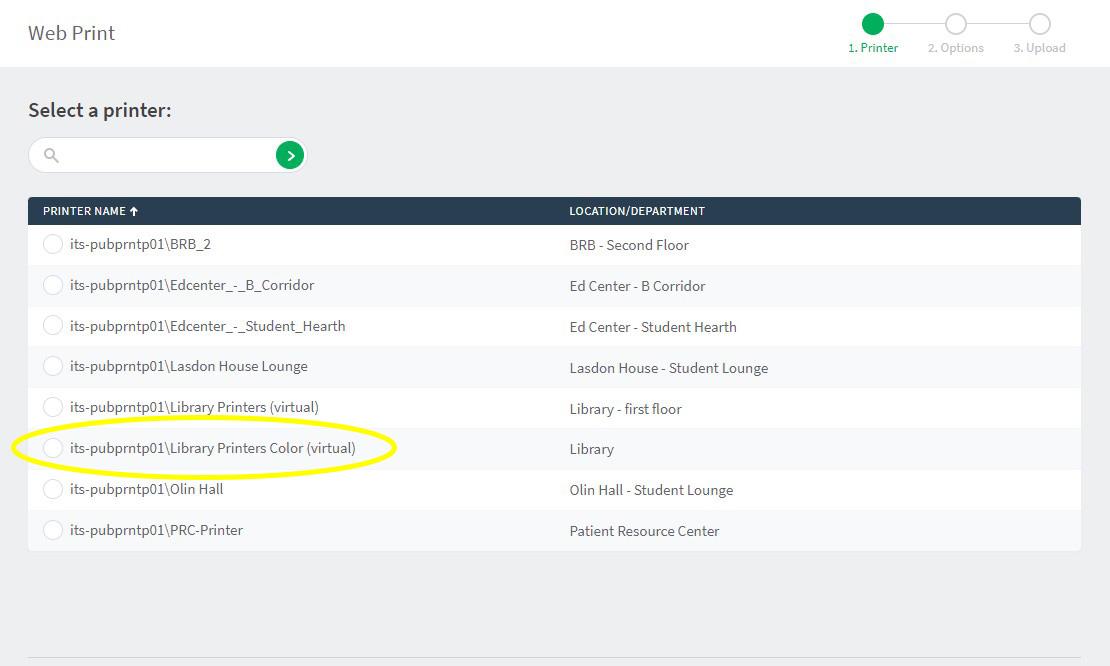
On your personal device via WebPrint: Go to print.weill.cornell.edu and print to "Library Printers Color" (see image below). The following file types are allowed in WebPrint: Microsoft Excel xlam, xls, xlsb, xlsm, xlsx, xltm, xltx Microsoft PowerPoint pot, potm, potx, ppam, pps, ppsm, ppsx, ppt, pptm, pptx Microsoft Word doc, docm, docx, dot, dotm, dotx, rtf, txt PDF pdf Picture Files bmp, dib, gif, jfif, jif, jpe, jpeg, jpg, png, tif, tiff.