Submitted by chh4011 on March 23, 2016 - 10:00am
Submitted by chh4011 on March 23, 2016 - 9:22am

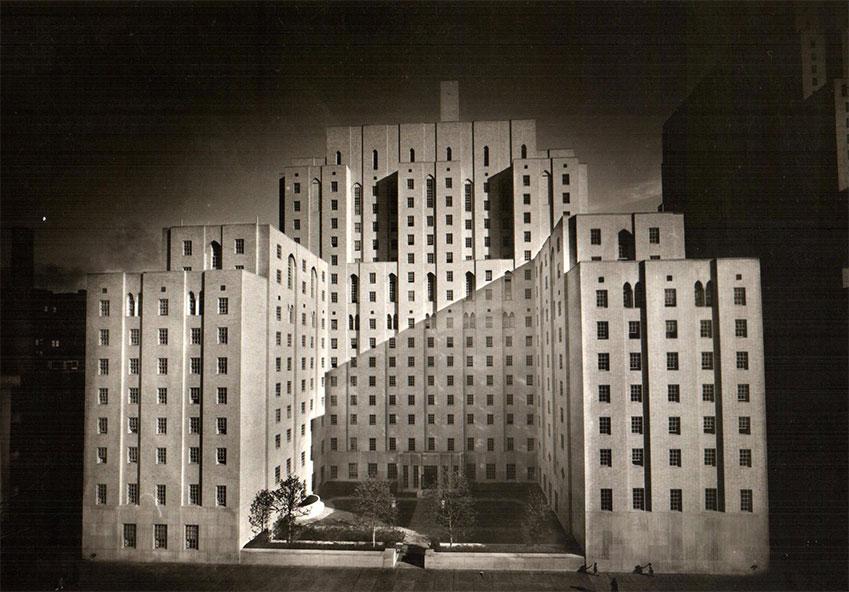
The Central Brewing Company and several row houses that were on the site of the medical center were demolished in 1929.
In what databases does GET IT appear?
PubMed, Ovid (select databases), Faculty of 1000, and Web of Science, among others.
Can I use this service from off campus?
Yes, provided you have dialed into the network, activated VPN on your computer, or logged in using EZProxy.
Why did my session 'time out' while using GET IT?
Your session will time out according to the parameters of the database. (For example, Ovid databases time out after 20 minutes of inactivity.) If you are viewing full-text via a GET IT window, the database will consider this inactivity. Please be aware of these time constraints, or the database session may close, and you will lose your search.
Why don't I see the GET IT button?
The GET IT button is not available in all Weill Cornell Medical Library e-Resource databases. If the GET IT button is enabled for your particular database, try the troubleshooting suggestions below:
If JavaScript is disabled in your browser, re-enable JavaScript. To re-enable JavaScript in Netscape: select EDIT, then PREFERENCES from the menu bar. Under ADVANCED, select ENABLE JAVASCRIPT. Click OK. Click on RELOAD to see the changed results. To re-enable JavaScript in Internet Explorer 5: select INTERNET OPTIONS from the TOOLS menu. Within the INTERNET OPTIONS window, select the SECURITY tab, then click on CUSTOM LEVEL. Scroll to JAVA PERMISSIONS and click to select HIGH SAFETY. Click OK to close the SECURITY SETTINGS window, then OK again to close the INTERNET OPTIONS window. Re-launch the browser to ensure the changes have taken effect.
Clear your computer's cache. In Netscape, go to Edit/Preferences/Advanced/Cache and clear the memory and disk cache. In IE, select Tools/Internet Options and then under the General tab, select Delete Temporary Internet Files.
I clicked on GET IT, but the menu doesn't appear. What's wrong? Could it be my pop-up blocker?
This problem may arise if you are using a "pop-up" blocker program. We recommend disabling any pop-up blocking software you may be running when using the GET IT service. If your popup blocker software allows you to specify a domain for which pop-ups are acceptable, you may wish to add the Weill Cornell Medical Library URL to the list. Please refer to help files associated with your pop-up blocking software for further information about adding domains and pop-up disabling.
When I try to get the full text, I get a screen telling me the item is not found. Why? What should I do?
Sometimes problems occur in relation to mapping the article citation. In this situation, look for a search screen at the publisher's site and search for your article. Try searching for the item by author or title. In some cases, the article is not available in the source (eg. supplements). If you search and find nothing, check OneSearch for print holdings, or request an Interlibrary Loan.
When I click to get full text, sometimes I end up on the journal's home page or table of contents. Can't I go directly to the article?
GET IT is programmed to get as 'close' to the full-text as it can. The journal publisher controls whether a direct link to the article is available. For certain publications, you will have to navigate through the publisher's web site to get to the article you're looking for.